Equally AI · B2B accessibility platform
Designing an AI-Powered Accessibility Platform at Scale
An AI assistant that turns a wall of WCAG violations into decisions a non-expert can make with confidence and cuts the time it takes a new team to get their first fix live.
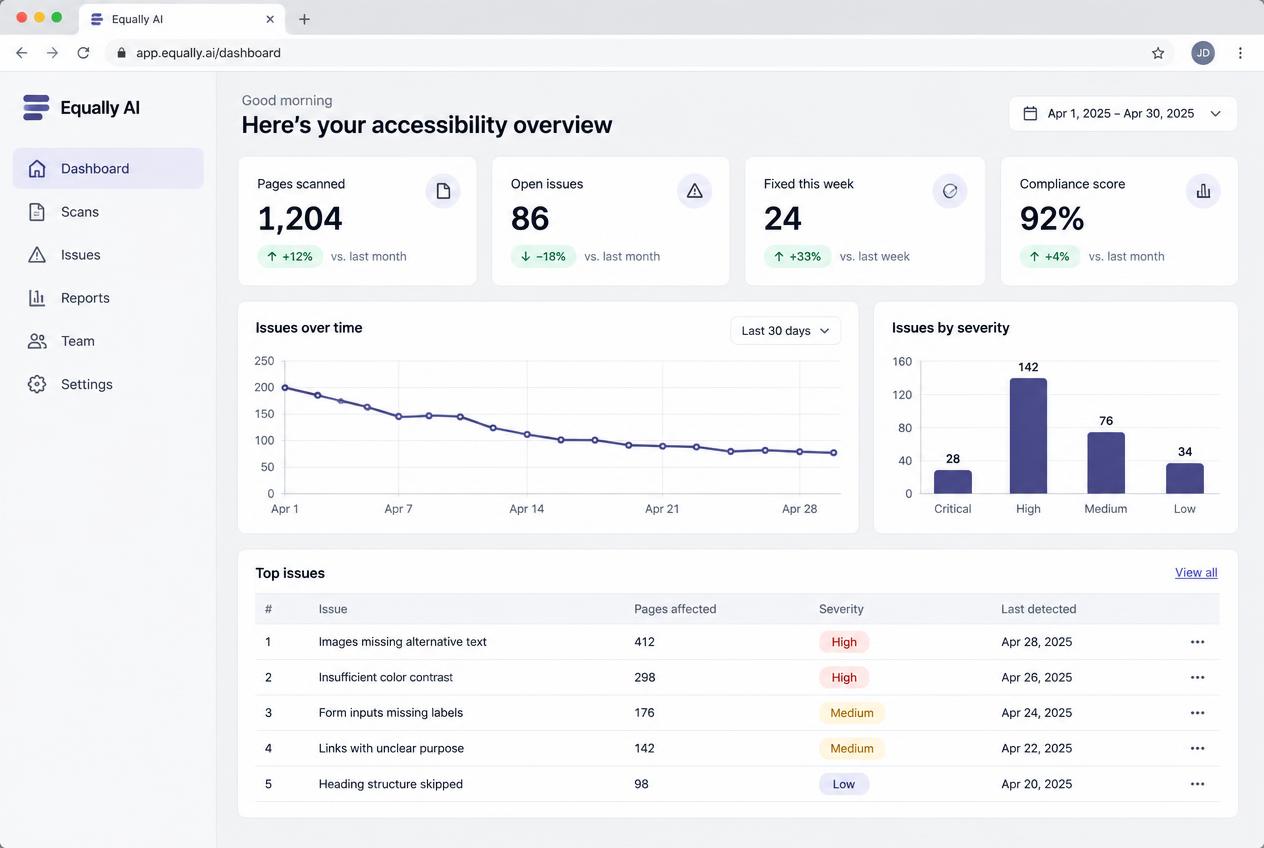
A modern view of the Equally AI product ecosystem, combining scanning, issue triage, and detailed remediation guidance.
- Role
- Creative / Product Designer
- Team
- PMs, engineers, marketing, customer
- Platform
- Web app + browser extension
- Tools
- Figma, FigJam, Stark, Jira, Notion, Loom
Making a fast-growing platform feel like one product
Equally AI helps organizations build accessible digital experiences by combining AI-powered accessibility analysis with developer-friendly workflows. The platform enables product teams, developers, and accessibility specialists to identify compliance issues, collaborate across teams, and improve digital products with greater confidence.
When I joined the team, the platform had evolved rapidly, but several parts of the product had become inconsistent as new features were introduced. Navigation, workflows, and visual patterns varied across experiences.
As a Product Designer, I contributed to redesigning the core product experience across multiple initiatives, creating a more cohesive platform while supporting new AI capabilities and enterprise workflows.
Working across the full product lifecycle
I collaborated closely with Product Managers, engineers, marketing, and customers from early discovery through implementation.
- 01
Leading end-to-end feature design
- 02
Conducting customer discovery interviews
- 03
Synthesizing user feedback
- 04
Designing complex B2B workflows
- 05
Building scalable design system components
- 06
Improving accessibility across our own product
- 07
Supporting implementation with engineering
Where the work sat
Equally AI detects accessibility issues, explains them, and helps teams resolve them. The product had grown fast, and each new capability arrived with its own patterns. I worked across most of that surface.
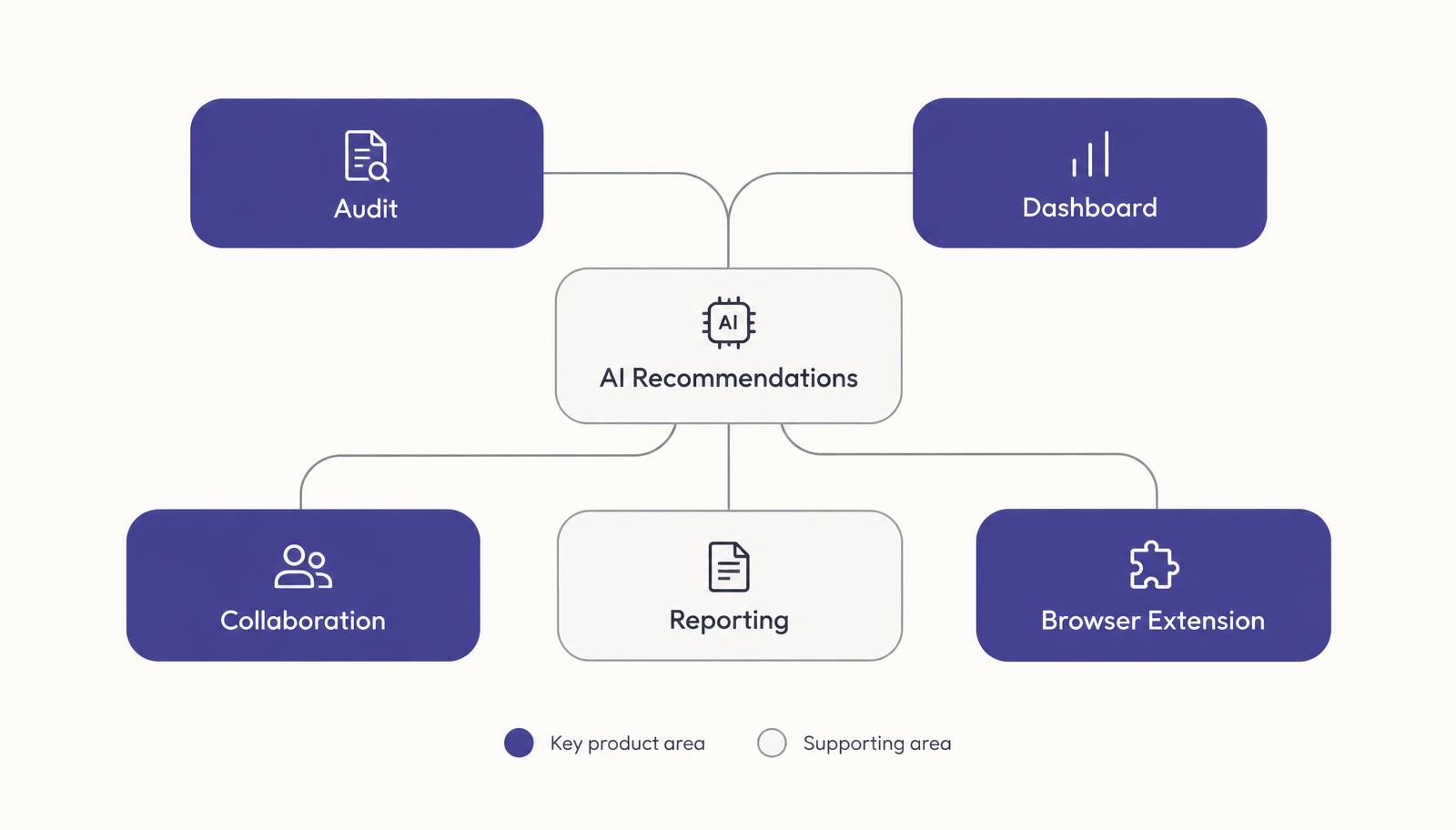
Simplify accessibility without oversimplifying it
Our users were not casual consumers. Many understood accessibility standards, but translating audit results into actionable improvements still required navigating large volumes of technical information.
Who we designed for
- Front-end developers
- Product teams
- QA engineers
- Accessibility specialists
- Enterprise organizations responsible for compliance
What users needed
Understand issues quickly and prioritize what mattered most.
Collaborate with teammates without losing technical context.
Move from detection to resolution efficiently.
The challenge was not adding more functionality. It was making existing functionality easier to understand and use.
Finding the friction before exploring solutions
We combined direct customer input with product and business context to understand where the experience was breaking down.
01
Information overload
Users were presented with large amounts of accessibility data but struggled to determine what required immediate attention.
02
Fragmented workflows
Completing an accessibility audit often required moving between multiple screens, making it difficult to maintain context.
03
Inconsistent experiences
As features evolved independently, similar interactions behaved differently across the product. This increased cognitive load and reduced confidence.
04
Growing product complexity
As AI capabilities and collaboration features expanded, maintaining simplicity became increasingly important.
Simplifying accessibility audit workflows
Detection was never the bottleneck. A flat list of hundreds of findings gave nobody a starting point.
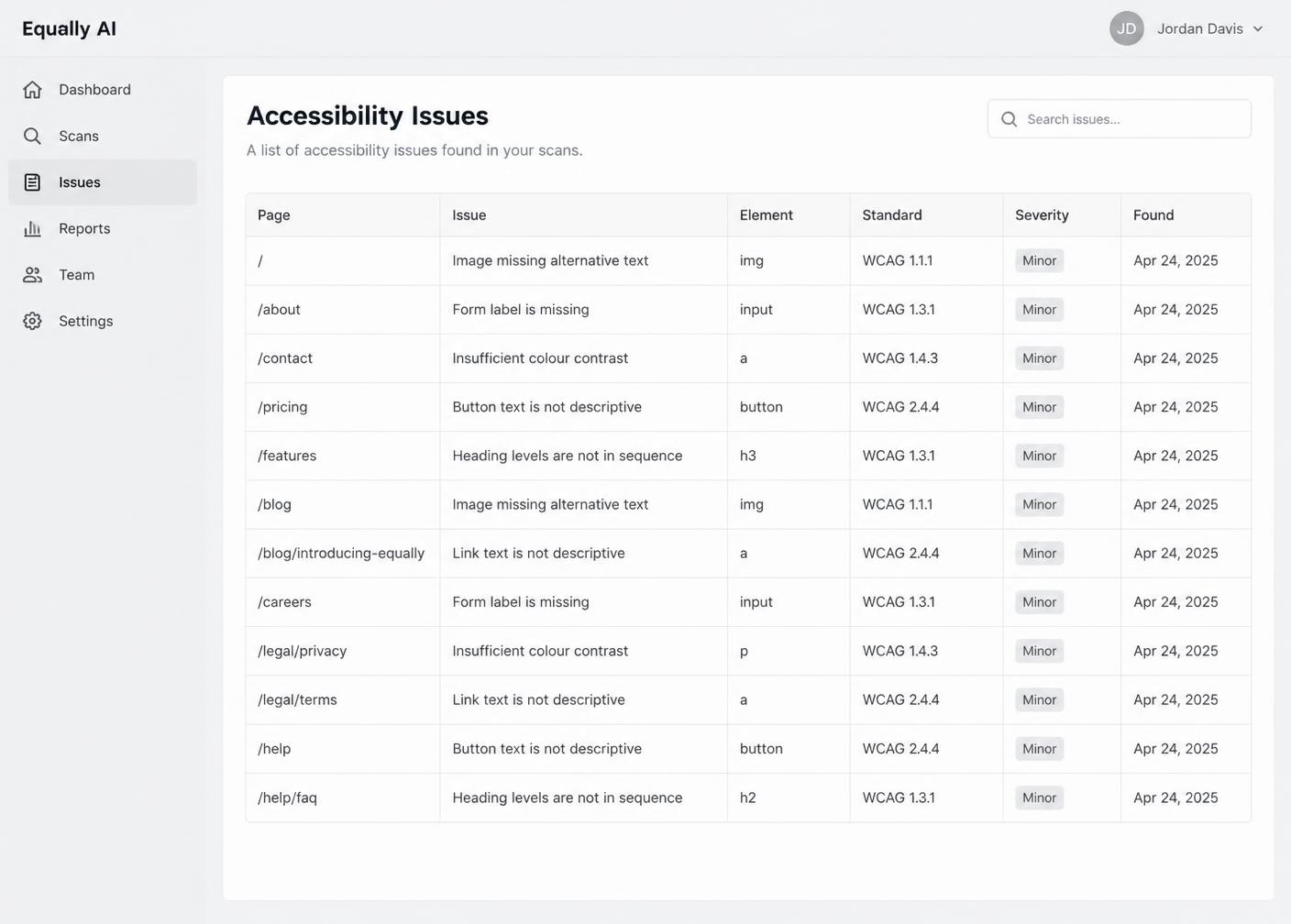
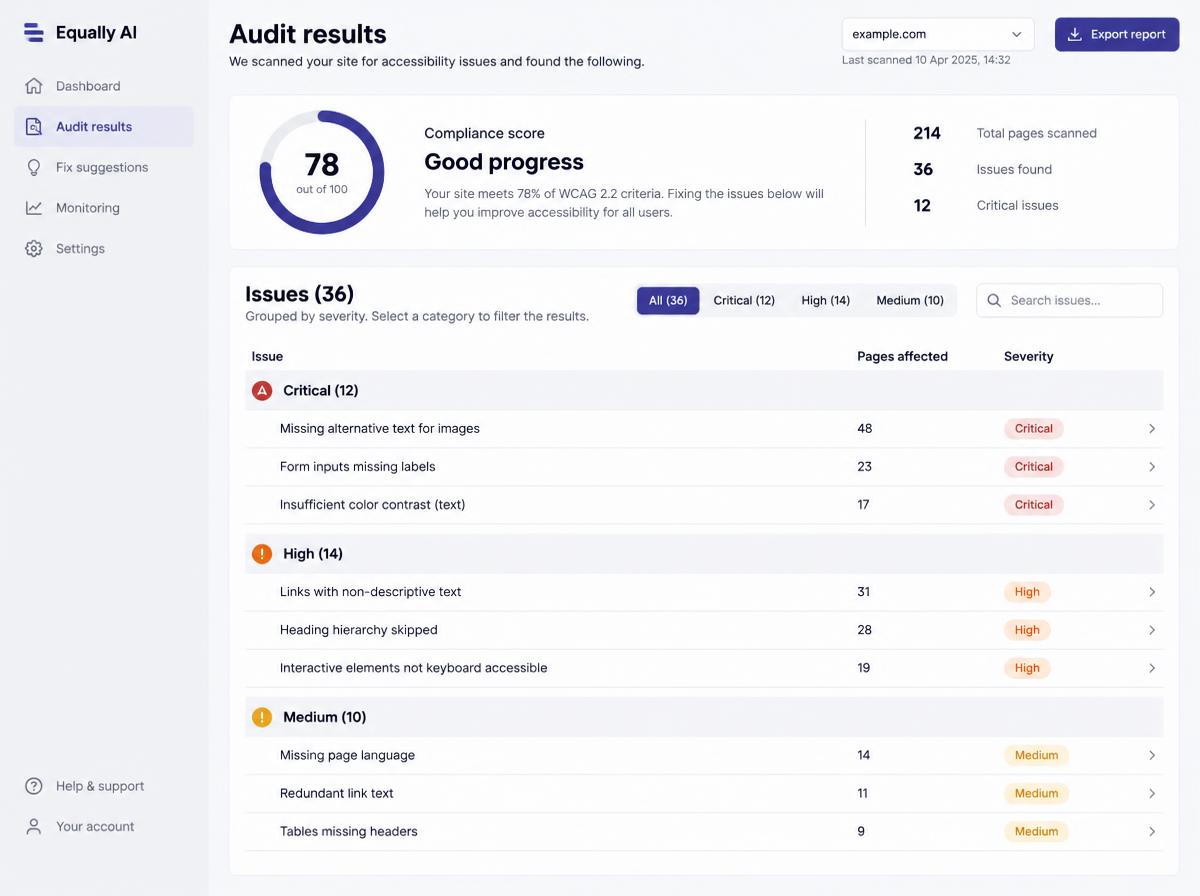
How might we reduce cognitive load while preserving the technical accuracy expert users depend on?
Modernizing the dashboard
The dashboard became a central hub where users could understand the health of their digital properties. We changed the information hierarchy to surface meaningful insights before detailed data, helping users move from monitoring to action more quickly.
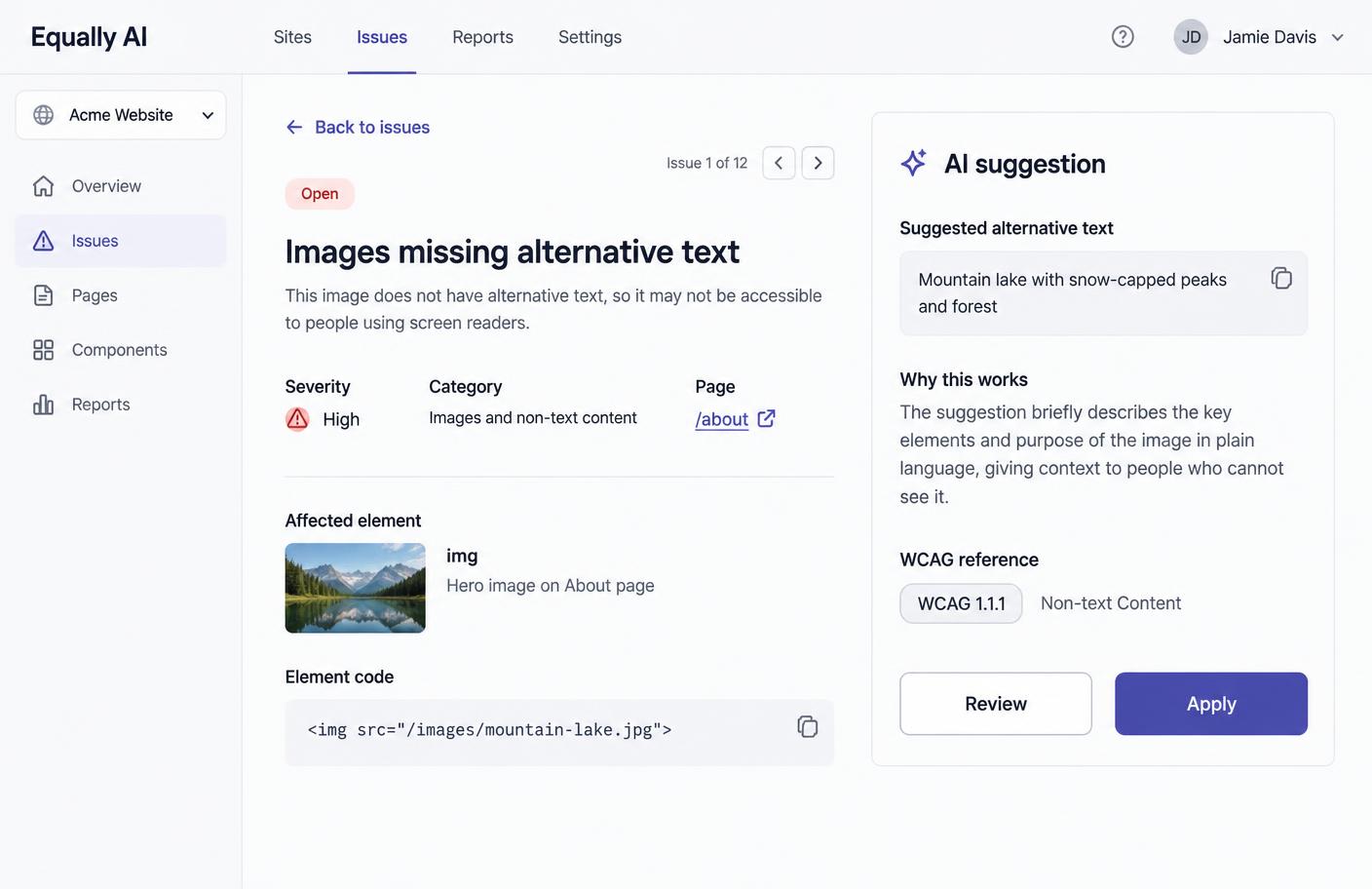
Integrating AI into decision making
Introducing AI here was a trust problem before it was an interface problem. Rather than replacing expert judgement, recommendations acted as guided assistance. Users could understand a suggested improvement before choosing whether to apply it.
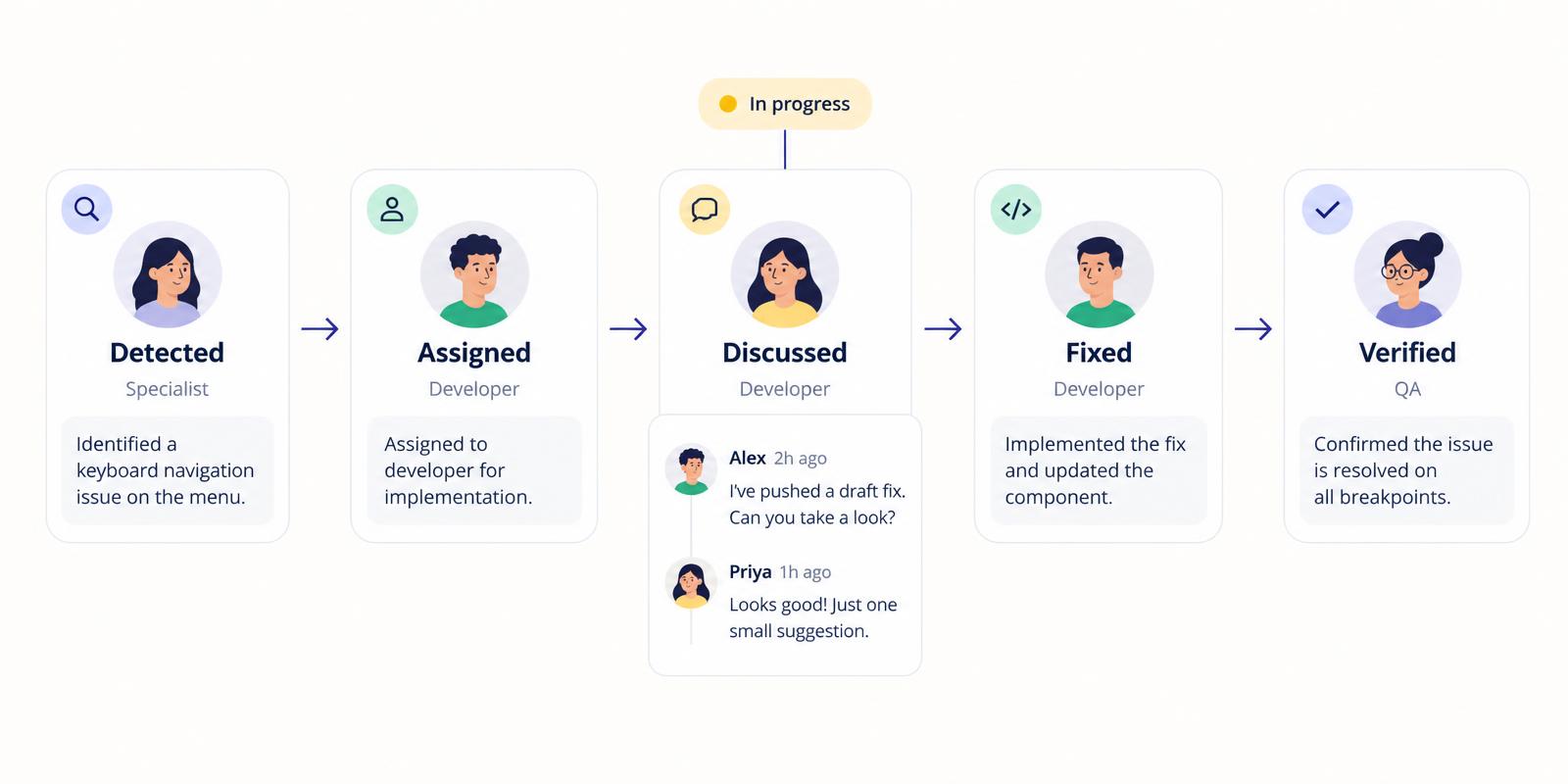
Strengthening collaboration
Accessibility is rarely owned by one person. The specialist identifies an issue, the developer fixes it, and QA verifies it. We kept the technical context attached to the issue so teams could communicate progress without rebuilding the story in another tool.
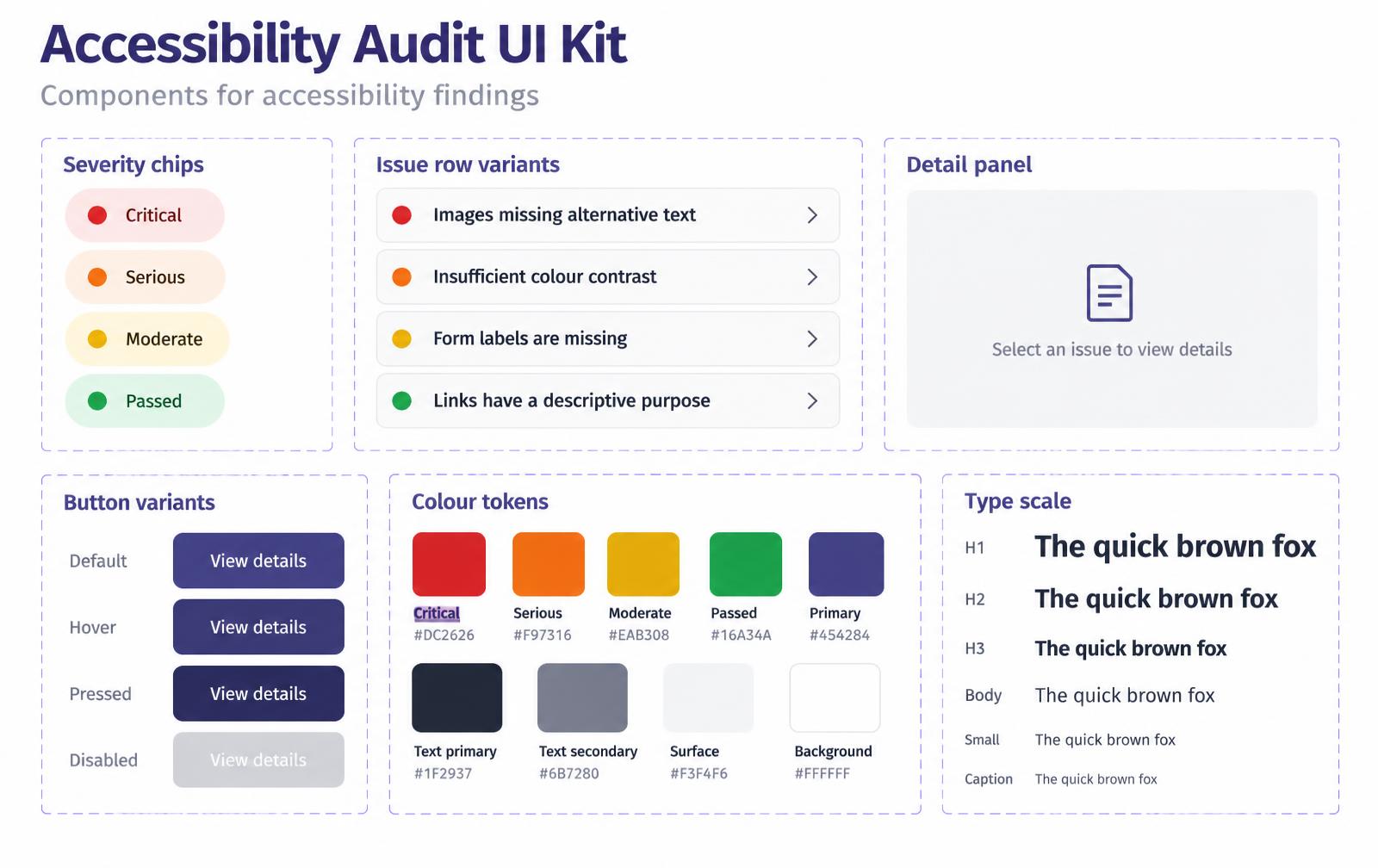
Building a scalable design system
Similar interactions behaved differently across the product. That could not be solved screen by screen. I contributed reusable components and interaction patterns that helped engineering deliver features more efficiently while maintaining a consistent experience.
Learning when not to add more interface
Each decision was made to help users focus on solving accessibility problems rather than learning the interface.
- 01Group related information
- 02Progressively reveal advanced functionality
- 03Improve navigation hierarchy
- 04Standardize interactions
- 05Reduce visual noise
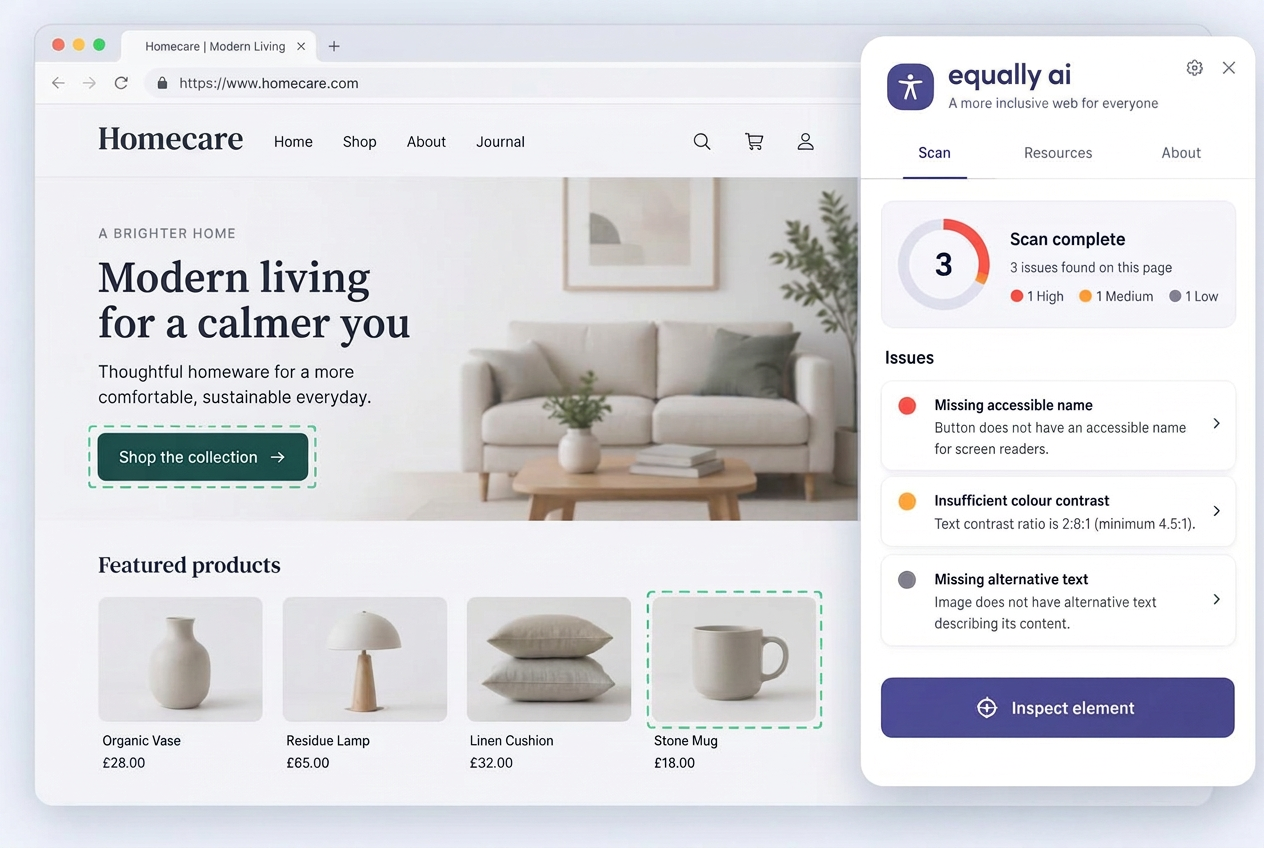
Checking in place
The browser extension puts the audit where the work happens, so a developer does not have to translate a report back onto the page.
A more cohesive enterprise platform
The redesign contributed to a more cohesive platform that supported experienced accessibility professionals and development teams newer to accessibility practices.
Specific product metrics remain confidential. Success was reflected through positive customer feedback, increased adoption of redesigned experiences, strong collaboration across product and engineering, and continued platform growth.
Equally AI was later acquired by AudioEye, reinforcing the value of the platform and its continued evolution.
The work before the final screens
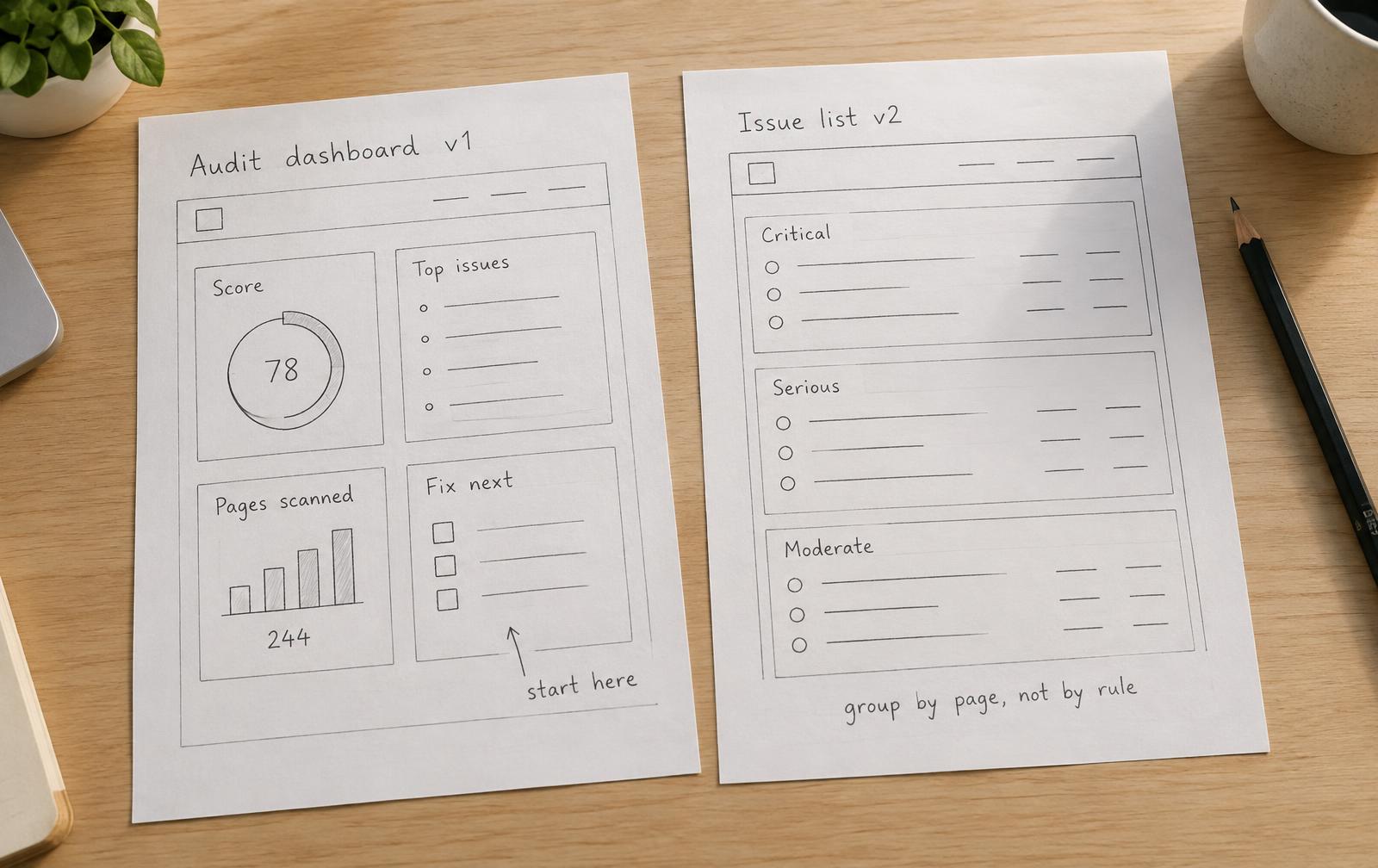
Early sketches
Audit and dashboard layouts started as quick FigJam sketches, arguing about what a team should see first before any visual design happened.
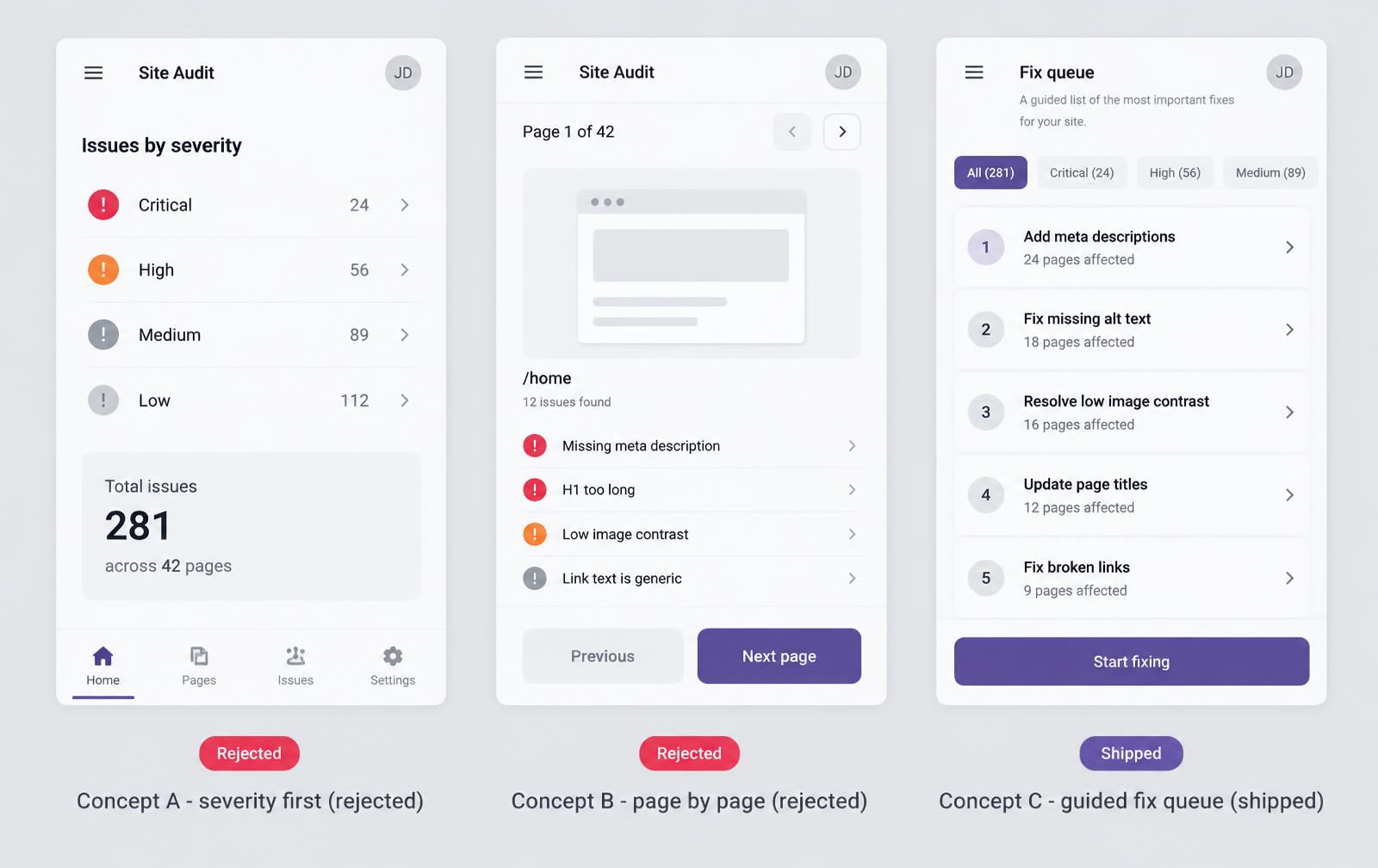
Rejected concepts
A single combined issues table, an auto-fix-everything action, and a scoring gauge as the dashboard hero. Each one hid the reasoning users needed to trust the platform.
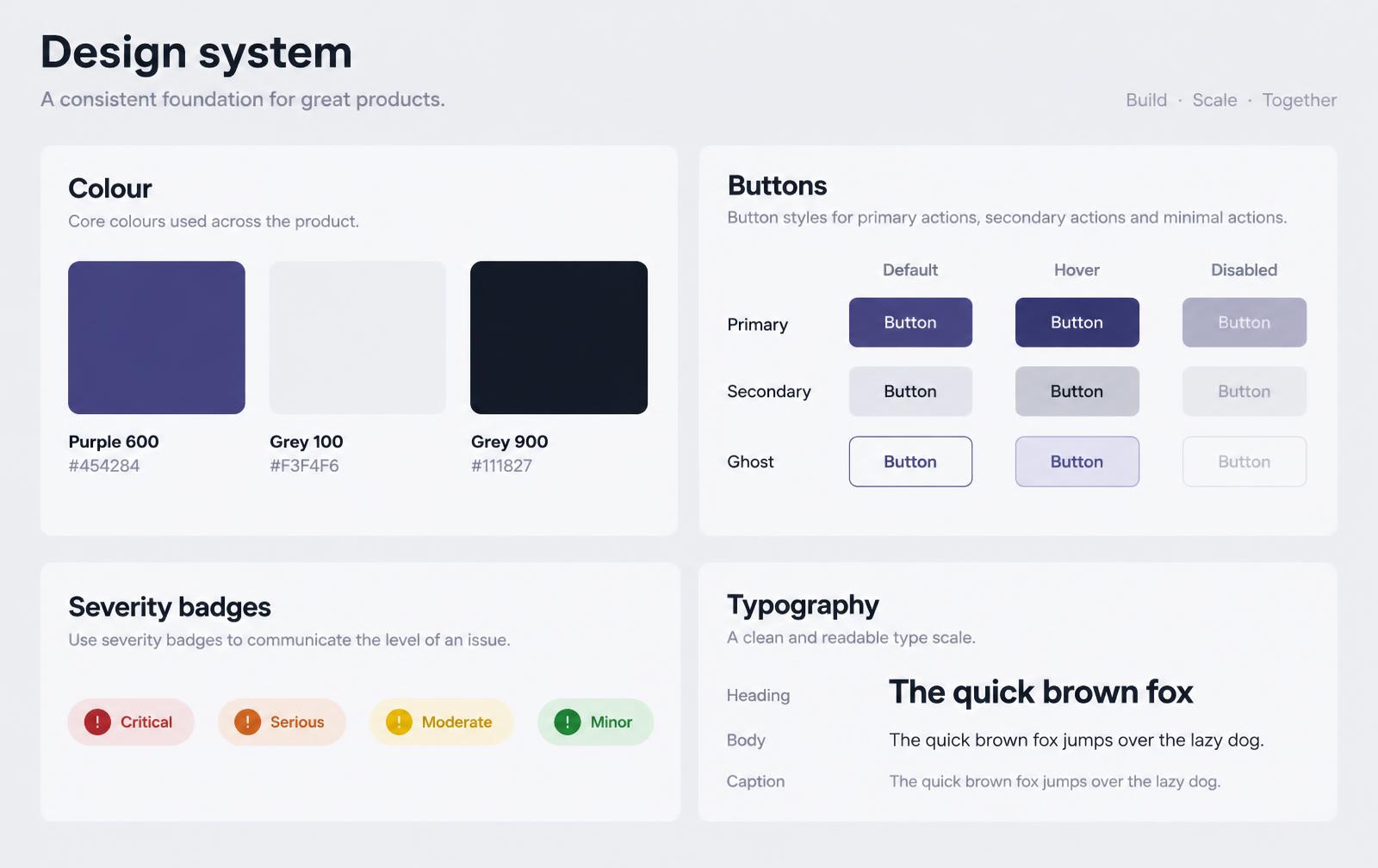
Design system work
Shared components for issue rows, severity tags, filters, empty states and AI suggestion cards, with tokens and variants keeping audits, reporting and collaboration consistent.
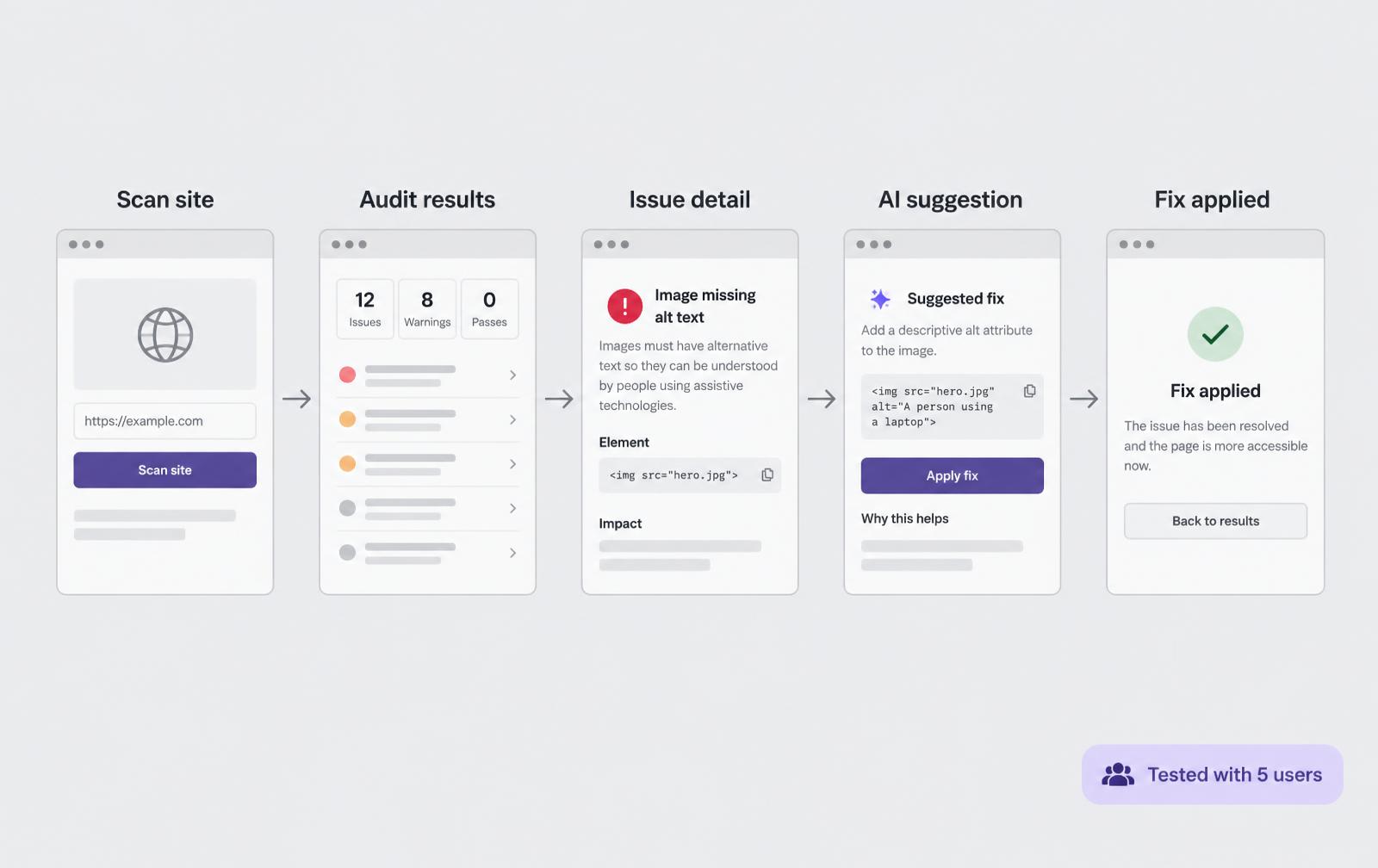
Prototypes
Interactive flows covering scan, review, suggestion and share, used in walkthroughs with product and engineering to test the sequence before build.
Designing systems, not just screens
Designing for accessibility challenged me to think beyond visual design. Every decision had to balance usability, technical accuracy, business goals, and compliance requirements.
Working on a complex B2B platform strengthened my ability to simplify technical workflows without removing the depth expert users relied upon.
Creating consistent patterns across audits, dashboards, reporting, collaboration, and AI experiences helped make the product feel more intuitive as it continued to grow.